The furniture fits in the van. You measured twice. Then you spend the afternoon finding out that the sofa will not turn the corner at the top of the stairs, that you need a standing gap by the doors or you cannot stack anything, and that the mattress is still on the bed.
Volume is not fit. That is the whole post. Everything below is me learning it at the price of a 61 GB download.
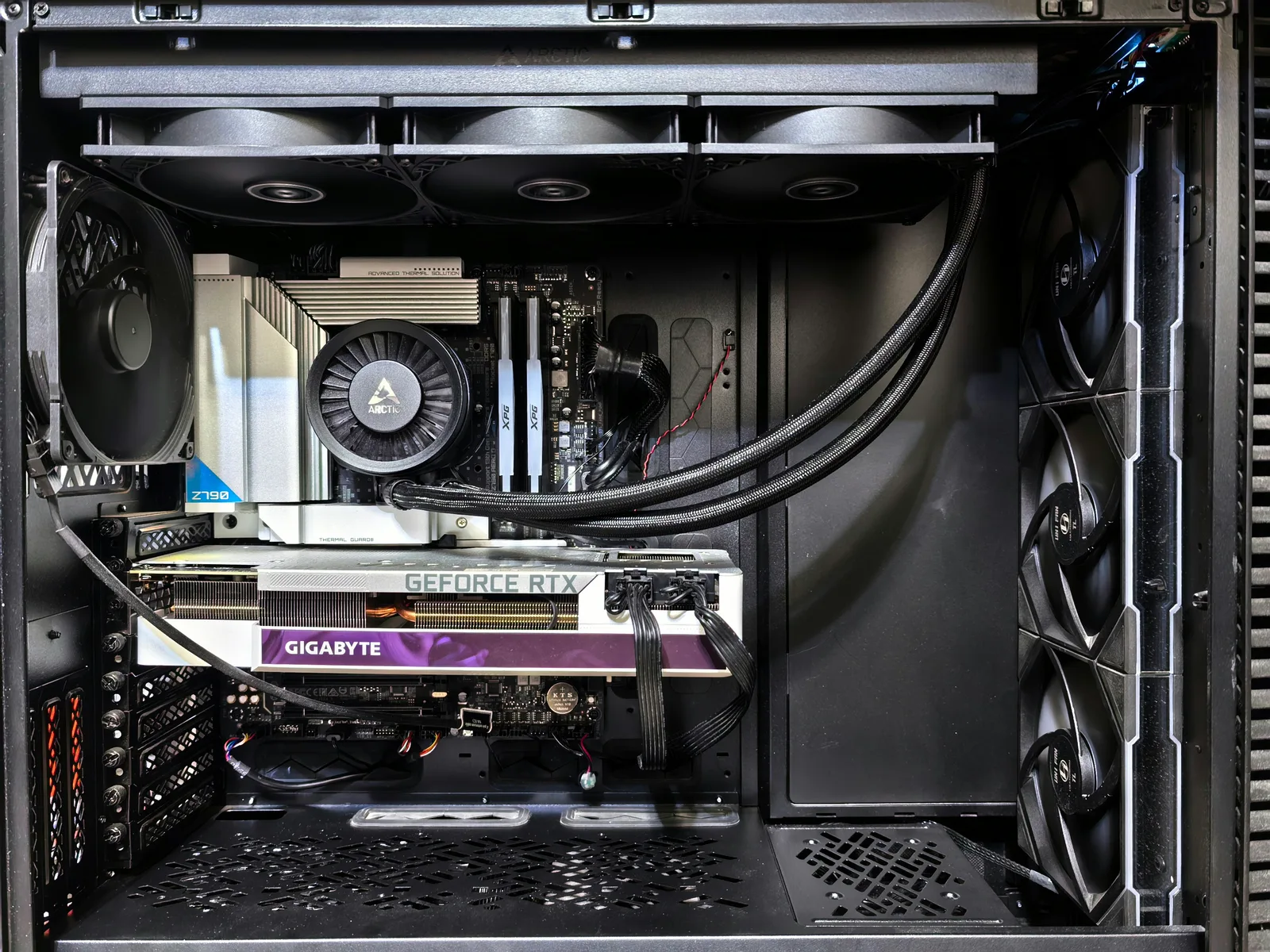
I run a coding agent on my own hardware: two RTX 5090s, 32 GB of VRAM each, 64 GB in total. I have written before about building and tuning the box, about making its inference server event-triggered instead of burning two CPU cores while idle, about the engine bake-off that prefix caching decided, and about the attention architecture that made every agent turn re-read 162,000 tokens.
This one is the capacity question. It is the cheapest of the four to get right, because the arithmetic takes two minutes and the download takes an afternoon.
A 120B model at four bits is roughly 60 GB. I have 64 GB. It never loaded. Not with tensor parallelism, not with an FP8 KV cache, not with CPU offload, not with the memory fraction pushed to 0.97.
The arithmetic that makes a 120B look like it fits
Here is the calculation nearly everyone does, including me, in the tab next to the download button.
Parameters times bits per parameter, divided by eight, gives bytes. A 120B model at four bits is 120,000,000,000 times 4, over 8, or 60 GB. Two cards at 32 GB is 64 GB. Sixty is less than sixty-four. Download it.
That calculation is not wrong. It is answering a different question from the one you asked. It tells you the space the weights occupy. It does not tell you whether the model will serve. Three terms are missing.
You do not get the number on the box. A 32 GB card does not hand you 32 GB. The display, the driver, the CUDA context and the engine's own allocator take a cut before your first tensor lands. On my cards the engine could address about 31.4 GB. That gap is small, and it is exactly the size of gap that turns "fits with 3 GB spare" into "does not fit."
Weights are not the only resident thing. Serving needs working room: activations, the attention workspace, captured CUDA graphs, communication buffers for the two cards to talk to each other. None of that appears in the parameter count, and all of it is allocated before you serve a single token.
The KV cache is the whole point, and it is not optional. This is the one that gets skipped, and it is the one that decides an agent workload. The KV cache is where the model's notes on the conversation live. For a chatbot answering one question it is small. For an agent running sixty turns against a growing transcript it is the largest single consumer after the weights, and it grows linearly with context. A model that loads with 200 MB spare has not fitted. It has occupied the room and left nowhere to work.
Back to the van. Sixty into sixty-four is the volume check. The three missing terms are the stairwell, the standing gap, and the mattress.
gpt-oss-120b VRAM requirements, measured instead of estimated
The model I wanted was gpt-oss-120b: 117B total parameters, 5.1B active per token, Apache 2.0, and post-trained with MXFP4 quantisation on the mixture-of-experts weights, so the four-bit version is what the authors shipped rather than something a third party squeezed afterwards. On paper it is close to ideal for two consumer cards. Its own model card says it runs on a single 80 GB GPU.
My planning document, written before any of this was tested, listed it as a real option and called it "the push the upper bound default." It estimated about 63 GB at native MXFP4 and described the fit as tight. I want that on the record, because the document that got this wrong is mine, and it got it wrong by doing exactly the arithmetic above.
Here is what the box actually reported once the weights were on disk.
| Per card, tensor parallel across two cards | gpt-oss-120b, MXFP4 |
|---|---|
| Nameplate VRAM | 32 GB |
| Usable after driver and runtime overhead | about 31.4 GB |
| Weights, sharded across two cards | about 30.5 GB |
| Left for workspace and KV cache | about 0.9 GB |
| Result | out of memory during weight load |
Two cards times 30.5 GB is roughly 61 GB of weights against roughly 62.8 GB of addressable memory. On paper that still fits, by about 1.8 GB across the pair.
It never got far enough to find out. The failure is a CUDA out of memory loading weights under tensor parallel, and the important word in that sentence is loading. This is not a context-length problem you can shrink your way out of. The process died while placing weights, before the KV cache had been sized, before a request existed, before there was anything to trim.
That distinction is the single most useful thing in this post for anyone reading their own error. An out of memory at request time means your context is too long and you have levers. An out of memory during weight load means the model is too big for the hardware and you have none.

One caveat on that table, because it matters for how you read the rest. I recorded the per-card figures and the failure mode at the time, but I did not preserve the verbatim traceback text, so I am describing the error by its class and its timing rather than quoting a transcript I no longer have.
While we are on error messages, not every out of memory on this box is about VRAM. Serving a different model later, I hit this, verbatim:
triton.runtime.errors.OutOfResources: out of resource: shared memory,
Required: 147456, Hardware limit: 101376
That one is a per-block shared memory limit inside a Triton kernel, not video memory. Consumer Blackwell has a 101,376 byte opt-in shared memory ceiling where data centre Blackwell has roughly 227 KB, so a kernel tile configuration that is fine upstream can be impossible here. It looks like a capacity problem and it is a kernel configuration problem. Different error, different fix, same two words in the message.
Will a 120B run on 2x RTX 5090? Every configuration I tried
I did not accept the first failure. Here is everything I tried, on both vLLM and SGLang, and what each one did.
| What I tried | What happened |
|---|---|
| Tensor parallel across both cards | The configuration the table above describes. Out of memory during weight load. |
| FP8 KV cache | No effect. The KV cache was never allocated, so making it cheaper changes nothing. |
| CPU offload | Ignored by the MXFP4 loader entirely. |
PYTORCH_CUDA_ALLOC_CONF=expandable_segments:True | Reduces fragmentation. Does not create memory that is not there. |
| GPU memory fraction raised to 0.97 | Bought back a fraction of a gigabyte of the reserve. Still short. |
| The same attempts on the other engine | Same result. This is not an engine bug. |
The pattern in that table is worth naming. Every one of those knobs adjusts how efficiently the free space is used. Not one of them changes how much space there is or how much the weights need. When the deficit is structural, efficiency levers return nothing.
I then did the useful thing, which was to stop.
The next model on my list was Devstral 2, a 123B dense model at roughly 62 GB in four bits. Same size class, same box, and the arithmetic above says the same outcome with slightly worse odds, because a dense model has no sparse activation to soften anything. I ruled it out on paper and never downloaded it. That decision took under a minute and saved another 62 GB and another afternoon, and it is the practical payoff of having done the budget properly once.
Why tensor parallel, CPU offload and a smaller quant do not rescue this
Three escape hatches get suggested whenever someone posts this problem. All three are real techniques. None of them applies here, and it is worth being precise about why, because the reasons differ.
Tensor parallelism splits the weights, not the floor. Sharding across two cards genuinely halves the weight footprint per card, and that is why 61 GB of weights on 64 GB of VRAM is even a conversation. What it does not halve is the per-card overhead. Each card still carries its own CUDA context, its own workspace, its own copy of the engine's allocator reserve, and it adds communication buffers that a single card does not need. Tensor parallelism moves the weights. It cannot move the driver.
CPU offload needs system RAM you probably do not have, and it costs the thing you came for. My box has 60 GB of system RAM against roughly 61 GB of weights, so even a full offload had nowhere to land. Set that aside and the technique still fails on its merits for this workload. A comparable pair of 5090s running a much larger model with expert offload measured around 5 to 6 tokens per second. At that rate a forty-turn agent task runs into hours. Offload converts a fit problem into a latency problem, and low latency was the entire reason to serve locally instead of calling an API.
A smaller quant that fits can cost you the model. The obvious move is to drop from four bits to something smaller, or to swap to a different quantisation format. Two things go wrong. The first is expected: four bits already loses more than eight, typically a point or two on coding benchmarks, and going lower is the same model compressed harder, not a better model. The second is not expected, and it cost me a day. I tried a well known dense 32B coder in a four-bit AWQ build that fitted comfortably, and it produced pure garbage output on both available kernels. That model is used by an enormous number of people and it is not broken. The quantisation format was miscomputing on this specific consumer Blackwell silicon. A quant that fits is not the same as a quant that works, and you find out at inference time, not at load time.
So on this hardware the choice was never "big model, slightly compromised." It was "big model, or a model."
The real 64 GB VRAM limit for an LLM agent: about 50 GB of weights
Here is the rule I ended up with, and the number I would give anyone with the same box.
On 64 GB of VRAM, the realistic ceiling for an agentic workload is about 50 GB of total weights, or about 25 GB per card. The remaining headroom goes to workspace and to a KV cache sized for the context you actually intend to run.
That is a ceiling roughly 20 percent below the nameplate total, and the gap is not waste. It is the working room that makes the difference between a model that loads and a model that serves a sixty-turn conversation.
In practice that puts you at a 32B dense model or a 30B class mixture-of-experts. It puts you nowhere near the 120B class, whatever the four-bit arithmetic suggests.

The 50 GB figure is mine, derived on my hardware, and I would not hand it to you as a constant. What transfers is the shape: take the nameplate, subtract the overhead you do not control, subtract the working room, and size the remainder against the context you plan to run. What comes back is smaller than the number on the box, and the amount smaller is the part worth calculating rather than assuming.
So calculate it.
A KV cache memory calculation you can run before you download anything
This is the part I wish I had run first. It needs your model's config.json and about two minutes.
Two formulas. The first gives the space you have. The second gives what it buys you.
KV budget per card = usable VRAM per card
                   - weights per card
                   - workspace per card

Context you can hold = (KV budget per card x number of cards)
                       / KV bytes per token

KV bytes per token = 2 x layers x kv_heads x head_dim x bytes_per_element
Reading the terms, because each one has a trap in it.
Usable VRAM per card is the nameplate minus driver and runtime overhead. On my 32 GB cards that came to about 31.4 GB. Do not use the nameplate.
Weights per card is the size of the files on disk divided by the number of cards, when you are sharding with tensor parallelism. Use the actual download size rather than a parameter estimate, because quantisation schemes leave parts of a model untouched. Router gates, embeddings and normalisation layers commonly stay at higher precision, so a "four-bit" checkpoint is reliably larger than the four-bit arithmetic predicts.
Workspace per card is activations, attention workspace, CUDA graphs and communication buffers. Start with a 2 GB allowance, then replace the guess with a measurement: load the model with the KV pool set as small as the engine allows, and read what it reports as allocated. This is the term people omit, and omitting it is what turns a marginal fit into an out of memory.
KV bytes per token comes straight off config.json. The 2 is for the key and the value. layers is num_hidden_layers. kv_heads is num_key_value_heads, and use that one, not num_attention_heads, or grouped-query attention will make you overestimate by a factor of four or more. head_dim is usually hidden_size / num_attention_heads unless the config states it directly. bytes_per_element is 2 for a 16-bit KV cache and 1 for FP8. Use FP8 if your engine supports it, because it roughly doubles the context you can hold at close to no quality cost. One caution from experience: keep the value cache at FP8 rather than dropping to four bits, because a low-bit value cache degrades the tail of a generation and takes tool-call accuracy down with it, which is precisely what an agent cannot afford.
Now run it on the model that did not fit.
31.4 GB usable - 30.5 GB weights - 2 GB workspace = -1.1 GB per card
Negative, before a single token of KV cache. The formula returns the answer in one line, on the specification sheet, before anything is downloaded. That is the whole argument for running it.
And on a model that does fit, a 35B mixture-of-experts whose weights are 35.09 GiB in eight-bit, sharded across two cards:
31.4 - 17.5 - 2 = 11.9 GB per card
11.9 x 2 = 23.8 GB of KV budget
Give it a plausible KV cost. Forty layers, eight key-value heads, head dimension 128, FP8:
2 x 40 x 8 x 128 x 1 byte = 81,920 bytes per token, about 80 KiB
23.8 GiB / 80 KiB = roughly 312,000 tokens
Against a model whose native context ceiling is 262,144 tokens, that is the entire window with room left over. Not "it loads." Room to run the workload.
Substitute your own four numbers and you have your answer before the download starts.
How much VRAM for a 32B model, and what one actually does
Here is the consolation, and it is a real one.
The box now runs a 35B mixture-of-experts with about 3B parameters active per token, MIT licensed, 262,144 tokens of context. Its eight-bit weights come to 35.09 GiB, which is about 17.5 GB per card across the pair. That sits inside the 50 GB ceiling with 15 GB to spare.
What that looks like in service, measured on this box:
| Observed while serving | Value |
|---|---|
| Total VRAM in use per card at tensor parallel 2 | 27.6 GB of the 31.4 available |
| KV cache pool occupancy at 70,000 to 85,000 tokens of context | 11 to 13 percent |
| Decode speed at 70,000 to 85,000 tokens of context | 56 to 68 tokens per second |
| Decode speed at short context | about 190 tokens per second |
| Prefill, bursting | about 10,800 tokens per second |
| Prefix cache hit rate on resumed turns | about 99.4 percent |
| Startup time | 60 to 150 seconds |
Read the second row against everything above it. At 85,000 tokens of a real agent conversation, the KV pool is about an eighth full. That is not a model scraping in. That is a model with the room to grow into a long session, which is the property the 120B never had and could never have had.
And the benchmark position is not the sacrifice you might expect. This 35B scores 75.6 on SWE-bench Verified against roughly 70.6 to 74.2 for the 80B model it replaced, at under half the weight footprint.
Three honest caveats, because this is exactly the kind of tidy ending that deserves them.
The serving figures in that table were measured on version 1.0 of this model family, on this box and this engine. The box currently runs version 1.5, the same size class and the same architecture, and I do not have separately measured figures for it. I am reporting what I measured, labelled as what I measured.
The benchmark comparison is a published score, not my result. Scores move with scaffold and they are not a substitute for your own workload.
And the one head-to-head I ran on a real card was confounded, badly enough that I will not draw a quality conclusion from it. The local model was instructed not to write tests, by design, while the cloud control had no such restriction and wrote most of its winning diff as tests. The card was mis-sized. The local lane had half the output budget. The test author that reviewed the local model's fix passed a patch that could not work. I know how that comparison came out and I am not going to tell you it means anything, because it does not.
So what I am claiming is narrow and it is the claim the post is about: capacity is settled, quality is still open. The model fits with headroom, serves fast, and caches at 99.4 percent on resumed turns. Whether it is good enough at the actual work is a separate question that I have not yet answered properly, and my first attempt at answering it was a badly built experiment.
For contrast, the same family publishes a 397B variant that scores 82.4. It is roughly 400 GB in eight-bit. That one is not a fit problem I can solve with a flag, a quant or a better formula. It is simply somewhere else.
What I would check first, next time
Three things, in the order they cost you least.
Do the memory budget before the download. Nameplate, minus overhead, minus weights, minus workspace, and size the remainder against your intended context. Two minutes on the specification sheet. If it comes back negative, you are finished, and you have saved an afternoon and 60 GB of somebody's bandwidth.
Use the file size, not the parameter count. Look at what the checkpoint actually weighs on the hub. Quantisation leaves parts of a model at higher precision and the real number is always above the arithmetic.
Read where the out of memory fires. At request time you have levers: shorten the context, shrink the KV cache, lower the memory fraction. During weight load you have none, and every hour spent on flags is an hour spent proving that the deficit was structural. That was my afternoon. The engine told me at minute three and I spent the rest of the day disagreeing with it.
The naive arithmetic said sixty into sixty-four. The honest arithmetic said negative one point one, per card, before a single token of context. Both took two minutes. Only one of them was answering the question I actually had.
The furniture fits in the van. You still have to get it up the stairs, and you still have to be able to stand up in there once it is loaded.